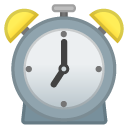
⏰Alarm Clock emoji
Travel & Places · Emoji 0.6

⏰Alarm Clock Emoji

Generally, when someone sends you the ⏰ emoji in a text, they’re just reminding you of something – like a meeting or an event. It’s a quick way to say "don’t forget!

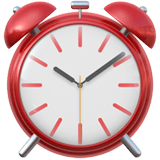
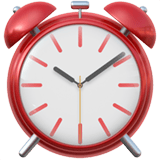
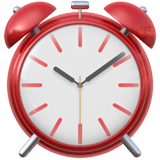
The ⏰ emoji is an alarm clock.

Download PNG / SVG
Unicode
U+23F0
Released
2010
Shortcode
:alarm_clock:
Skin tones
No
⏰
Your device
01 — Meaning

What does the ⏰ Alarm Clock emoji mean?

In plain english
Generally, when someone sends you the ⏰ emoji in a text, they’re just reminding you of something – like a meeting or an event. It’s a quick way to say "don’t forget!" ⏰ sits in travel emojis, where it is listed next to everything used the same way. It also turns up in red emojis.
Where it comes from
The ⏰ emoji is an alarm clock. It’s used to represent time, schedules, or reminders. People use it when they’re talking about appointments, deadlines, or just generally needing to wake up. It can also be used playfully to suggest someone is late or needs to hurry.
Also known as

People search for this character under a lot of different names, and the ones we have collected number 7.

alarm emojiclock emojihours emojihrs emojilate emojitime emojiwaiting emoji
02 — Platforms

Alarm Clock emoji on iPhone, Android, WhatsApp and X

The character you send is always U+23F0. The picture is not: it is redrawn by each system, and the designs below number 9.

Alarm Clock emoji on Apple
Apple
iPhone, iPad, macOS
Alarm Clock emoji on Google
Google
Android, Gmail, Chrome
Alarm Clock emoji on Twitter / X
Twitter / X
X, Discord, Twemoji apps
Alarm Clock emoji on Facebook
Facebook
Facebook, Messenger
Alarm Clock emoji on OpenMoji
OpenMoji
Open-source, design systems
Alarm Clock emoji on Samsung
Samsung
Galaxy, One UI
Alarm Clock emoji on Microsoft
Microsoft
Windows, Teams, Fluent
Alarm Clock emoji on WhatsApp
WhatsApp
WhatsApp on Android
Alarm Clock emoji on JoyPixels
JoyPixels
Slack, Discord themes
03 — Copy & codes

Alarm Clock emoji copy and paste

Tap any value to copy it. The emoji itself works everywhere, the escapes are for your code, and the shortcode Slack and Discord expect is :alarm_clock:.

All emoji copy and paste →

In your code

Different notation, one result: whichever escape you paste, what comes out is U+23F0.

04 — How to type

How to type the ⏰ Alarm Clock emoji

No picker to hand? The alarm clock can be typed straight from the keyboard — the codes for that are below, one per system.

iPhone & iPad
Tap the smiley or globe key at the bottom-left of the keyboard, then search “alarm clock”. No emoji key? Settings → General → Keyboard → Keyboards → Add New Keyboard → Emoji.
Android
On Gboard tap the smiley key, or long-press the Enter or comma key. On Samsung Keyboard the emoji button sits behind the gear icon.
Windows & Mac
Windows: press Win + . for the emoji panel. Mac: Control + Command + Space. Then type “alarm clock”.
Slack & Discord
Type the shortcode :alarm_clock: and it converts to ⏰ as you send. The full set is on the Discord emoji page.
Websites & code
In HTML use ⏰, in CSS \23F0, in JavaScript \u{23F0}.
No picker to hand? The online emoji keyboard works in any browser, and every character on the site is listed on emoji copy and paste.
05 — Download

Alarm Clock emoji PNG and SVG

Grab the alarm clock as transparent PNG or SVG. Each system ships its own drawing, and the licence stays with the vendor, all 9 of them.

Emoji PNG library →
06 — Combinations

Alarm Clock emoji combinations

Ready-made combos built around alarm clock for bios, captions and comments. Tap to copy.

All combinations →
Aesthetic alarm clock combos
Cool alarm clock combos
Cute alarm clock combos
Dark alarm clock combos
Party alarm clock combos
Love alarm clock combos
Mood alarm clock combos
Flex alarm clock combos
Unhinged alarm clock combos
Soft alarm clock combos
Late night alarm clock combos
Summer alarm clock combos
Gaming alarm clock combos
Y2K alarm clock combos
07 — Emoji Kitchen

Alarm Clock Emoji Kitchen stickers

Mixed with other emojis by Google's Kitchen — 14 of those stickers exist for the alarm clock. Tap any to open it full size.

Mix it yourself →
08 — In conversation

What ⏰ means from a girl or a guy

Same emoji, different intent depending on who sent it and what came before.

From a girl
If a girl sends you the ⏰ emoji, she’s likely trying to be playful or a little bit teasing. It can mean she’s reminding you of something silly or just wants to playfully nudge you. Don't overthink it!
From a guy
If a guy sends you the ⏰ emoji, it usually means he’s reminding you of something practical – like a task or an appointment. It’s a straightforward way to get your attention.
How to reply
If someone sends you ⏰, you could reply with: “Got it! 👍”, “On my way! ⏰”, “Don’t worry, I’ve got this ⏰”, or “Thanks for the reminder ⏰”.
Used in a sentence
09 — Apps

What ⏰ means on TikTok, WhatsApp and Discord

The character is the same everywhere, but the artwork and the reading of it change from app to app.

TikTok & Instagram
Generally, when someone sends you the ⏰ emoji in a text, they’re just reminding you of something – like a meeting or an event. It’s a quick way to say "don’t forget! In comments and captions it is read the same way — the tone comes from what it sits next to.
WhatsApp
WhatsApp draws ⏰ with Apple-style artwork on every phone, so it looks identical for both sides. A message with only ⏰ in it is shown enlarged.
Discord & Slack
Both accept the shortcode :alarm_clock:. Discord renders Twemoji, so ⏰ looks different there than on your phone.
Outlook & email
Outlook has no emoji picker on desktop — press Win + . or Control + Command + Space inside the message body, or paste ⏰ from the copy button above.
11 — Difference

⏰ vs ⏲ — what is the difference?

Two emojis that get mixed up constantly. They are different characters with different names.

⏰ Alarm Clock

Unicode name: Alarm Clock

Code: U+23F0 · added 2010

Shortcode: :alarm_clock:

Generally, when someone sends you the ⏰ emoji in a text, they’re just reminding you of something – like a meeting or an event.

⏲ Timer Clock

Unicode name: Timer Clock

Code: U+23F2 · added 2015

Shortcode: :timer_clock:

It usually means “time’s almost up” or “don’t forget.

Open ⏲ Timer Clock →

12 — History

Where the ⏰ Alarm Clock emoji came from

This one is older than Unicode emoji: Japanese carriers were drawing it on their handsets years before the standard existed, which it finally joined in 2010.

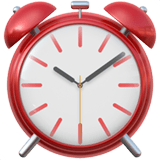
NTT DoCoMoi-mode, 1999
Alarm Clock emoji, NTT DoCoMo, i-mode 1999
i-mode 1999
AppleiOS
Alarm Clock emoji, Apple, iOS 16.4
iOS 16.4
Alarm Clock emoji, Apple, iOS 17.4
iOS 17.4
Alarm Clock emoji, Apple, iOS 18.4
iOS 18.4
Alarm Clock emoji, Apple, iOS 26
iOS 26
GoogleAndroid
Alarm Clock emoji, Google, Blob, 2017
Blob, 2017
Alarm Clock emoji, Google, Redesign, 2017
Redesign, 2017
Alarm Clock emoji, Google, Android 2018
Android 2018
Alarm Clock emoji, Google, Android 2020
Android 2020
Twitter / XTwemoji
Alarm Clock emoji, Twitter / X, Twemoji 14
Twemoji 14
Alarm Clock emoji, Twitter / X, Twemoji 15
Twemoji 15
Alarm Clock emoji, Twitter / X, Twemoji 16
Twemoji 16
Alarm Clock emoji, Twitter / X, Twemoji 17
Twemoji 17

Same character every time — U+23F0 never changed. Only the drawing did, and only because each vendor redraws its own set. Someone on an older phone still sees the older picture.

1997–2008
Japanese carrier phones

Long before Unicode had emoji, Japanese carriers shipped their own picture sets. ⏰ existed there as NTT DoCoMo E6BA, KDDI au E594. Those codes are why it survived into the standard at all — Unicode had to keep Japanese messages readable.

2010
Added to the standard

Alarm Clock was approved as U+23F0 and shipped in Emoji 0.6 (2010). Emoji 0.6 is the original 2010 batch that came over from the Japanese sets.

Today
Drawn 9 different ways

Every vendor keeps its own artwork, so ⏰ is redrawn by Apple, Google, Twitter / X, Facebook, OpenMoji, Samsung, Microsoft, WhatsApp, JoyPixels. The character you send never changes — only the picture does.

13 — FAQ

Alarm Clock emoji — questions people actually ask

What does the ⏰ Alarm Clock emoji mean?
Generally, when someone sends you the ⏰ emoji in a text, they’re just reminding you of something – like a meeting or an event. It’s a quick way to say "don’t forget!"
What does ⏰ mean from a girl?
If a girl sends you the ⏰ emoji, she’s likely trying to be playful or a little bit teasing. It can mean she’s reminding you of something silly or just wants to playfully nudge you. Don't overthink it!
What does ⏰ mean from a guy?
If a guy sends you the ⏰ emoji, it usually means he’s reminding you of something practical – like a task or an appointment. It’s a straightforward way to get your attention.
How do you reply to the ⏰ emoji?
If someone sends you ⏰, you could reply with: “Got it! 👍”, “On my way! ⏰”, “Don’t worry, I’ve got this ⏰”, or “Thanks for the reminder ⏰”.
What else is the ⏰ emoji called?
Alarm Clock is the official Unicode name, but people search for it as “alarm emoji”, “clock emoji”, “hours emoji”, “hrs emoji”, “late emoji”, “time emoji” and more. They all refer to the same character, U+23F0.
What is the Unicode code for ⏰?
The Alarm Clock emoji is U+23F0, added in Emoji 0.6 (2010). In HTML you can write it as ⏰, and in CSS as \23F0.
How do I copy and paste the ⏰ emoji?
Tap the copy button at the top of this page — ⏰ goes straight to your clipboard and pastes into Instagram, TikTok, WhatsApp, Discord or any text field. You can also copy its shortcode :alarm_clock: for Slack and Discord.
Does ⏰ look the same on every phone?
No. Alarm Clock is drawn separately by each vendor — Apple, Google, Twitter/X, Facebook and OpenMoji all ship their own artwork for U+23F0. The character you send is identical; only the picture changes.